
Operating systems are the invisible superheroes running behind every computer,... Show more
 Computer Science
 English Literature
 Sociology
 Biology
Sign up to see the contentIt's free!
Access to all documents
Improve your grades
Join milions of students
Knowunity AI
Subjects
Triangle Congruence and Similarity Theorems
Triangle Properties and Classification
Linear Equations and Graphs
Geometric Angle Relationships
Trigonometric Functions and Identities
Equation Solving Techniques
Circle Geometry Fundamentals
Division Operations and Methods
Basic Differentiation Rules
Exponent and Logarithm Properties
Show all topics
Human Organ Systems
Reproductive Cell Cycles
Biological Sciences Subdisciplines
Cellular Energy Metabolism
Autotrophic Energy Processes
Inheritance Patterns and Principles
Biomolecular Structure and Organization
Cell Cycle and Division Mechanics
Cellular Organization and Development
Biological Structural Organization
Show all topics
Chemical Sciences and Applications
Atomic Structure and Composition
Molecular Electron Structure Representation
Atomic Electron Behavior
Matter Properties and Water
Mole Concept and Calculations
Gas Laws and Behavior
Periodic Table Organization
Chemical Thermodynamics Fundamentals
Chemical Bond Types and Properties
Show all topics
European Renaissance and Enlightenment
European Cultural Movements 800-1920
American Revolution Era 1763-1797
American Civil War 1861-1865
Global Imperial Systems
Mongol and Chinese Dynasties
U.S. Presidents and World Leaders
Historical Sources and Documentation
World Wars Era and Impact
World Religious Systems
Show all topics
Classic and Contemporary Novels
Literary Character Analysis
Rhetorical Theory and Practice
Classic Literary Narratives
Reading Analysis and Interpretation
Narrative Structure and Techniques
English Language Components
Influential English-Language Authors
Basic Sentence Structure
Narrative Voice and Perspective
Show all topics
90
•
Updated Mar 16, 2026
•

Ummi
@ummi_.com
Operating systems are the invisible superheroes running behind every computer,... Show more
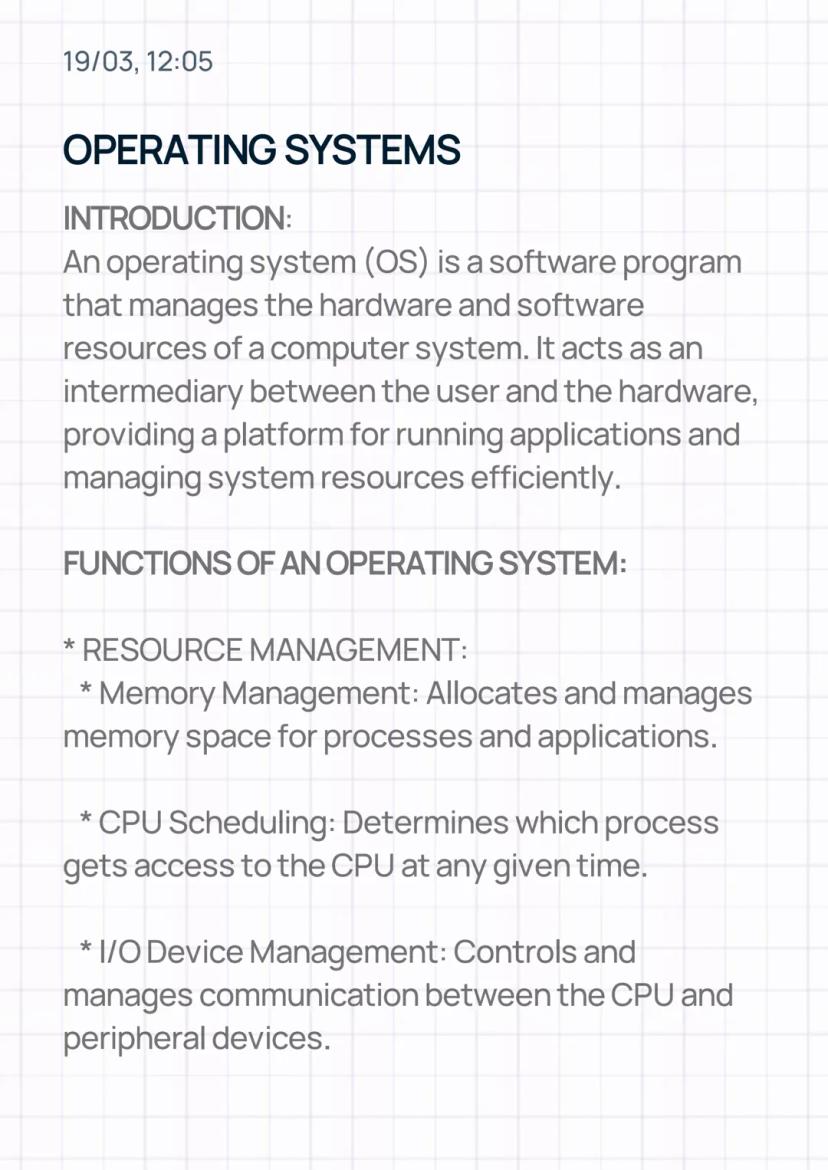
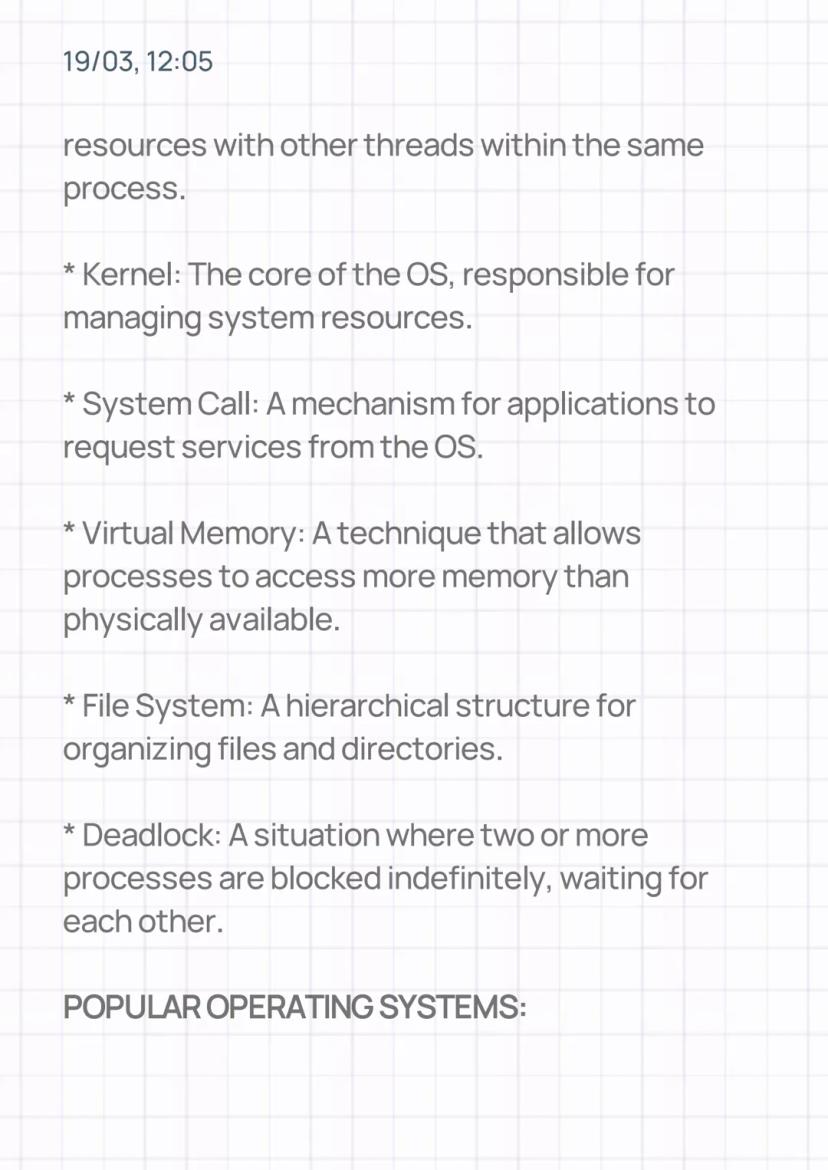
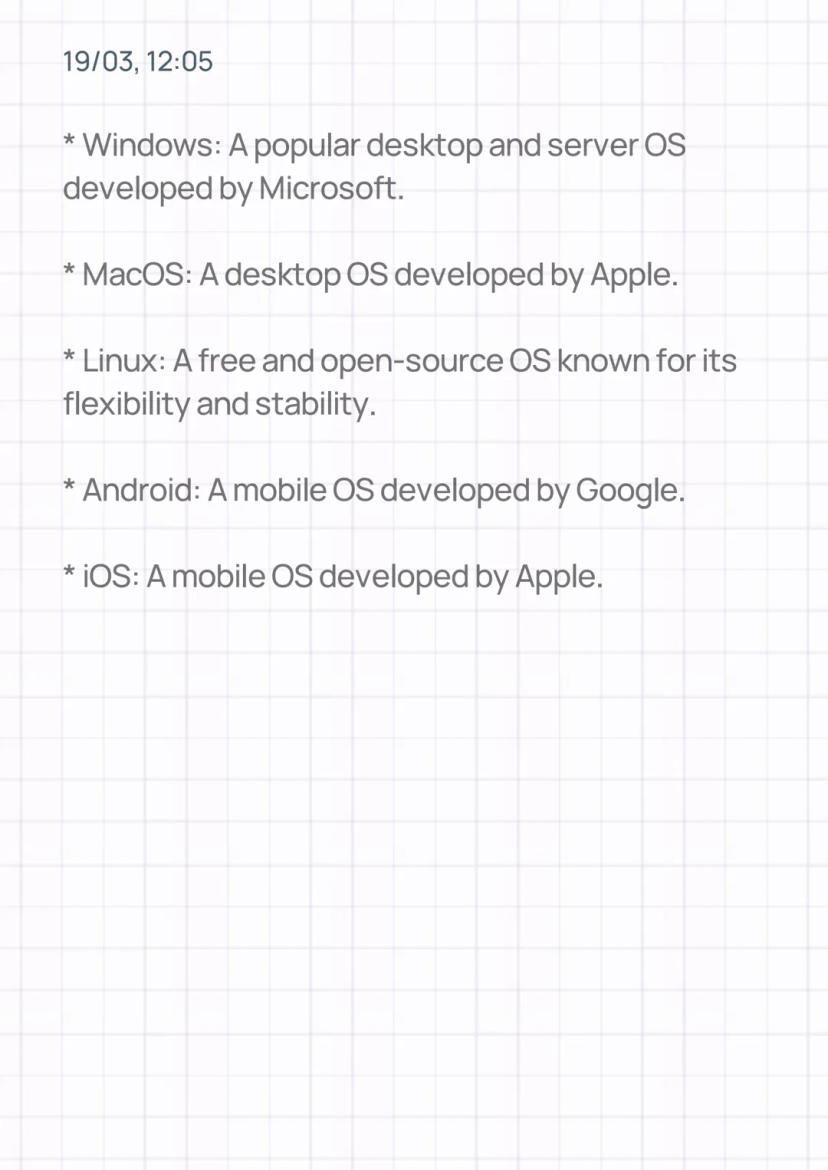
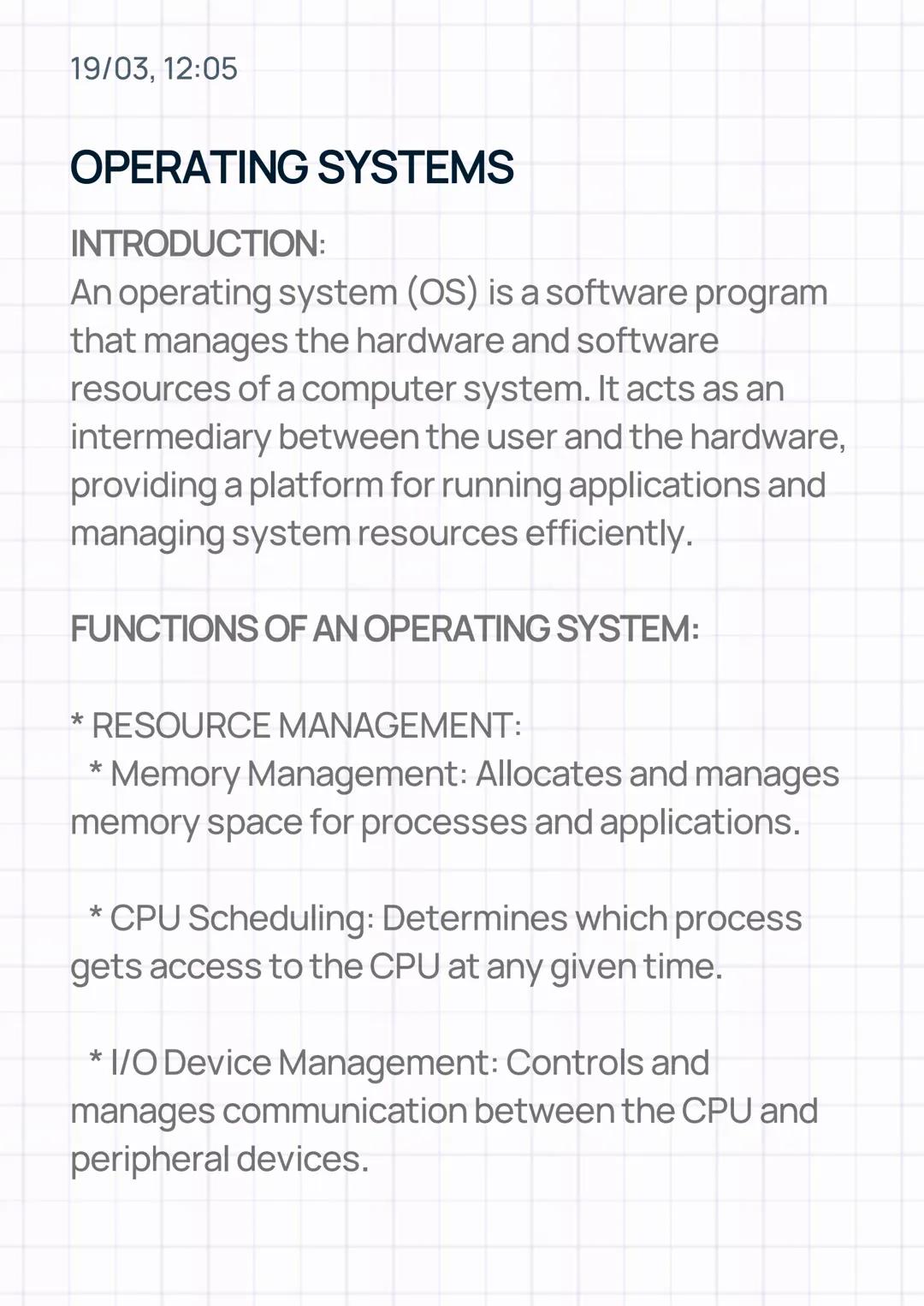
Think of an operating system (OS) as the middleman between you and your computer's brain. Without it, your hardware would be as useful as a car without a driver – all the parts would be there, but nothing would work together.
The OS handles resource management like a skilled juggler. It decides which apps get memory space, determines which tasks the CPU tackles first, and manages how your keyboard, mouse, and other devices communicate with the processor. This coordination happens millions of times per second without you even noticing.
Memory management and CPU scheduling are two of the most crucial jobs your OS performs. When you're running multiple apps simultaneously, the OS ensures each one gets fair access to your computer's resources.
Quick Tip: Your OS is constantly working in the background – even when you think your computer is "doing nothing," it's actually managing dozens of processes!
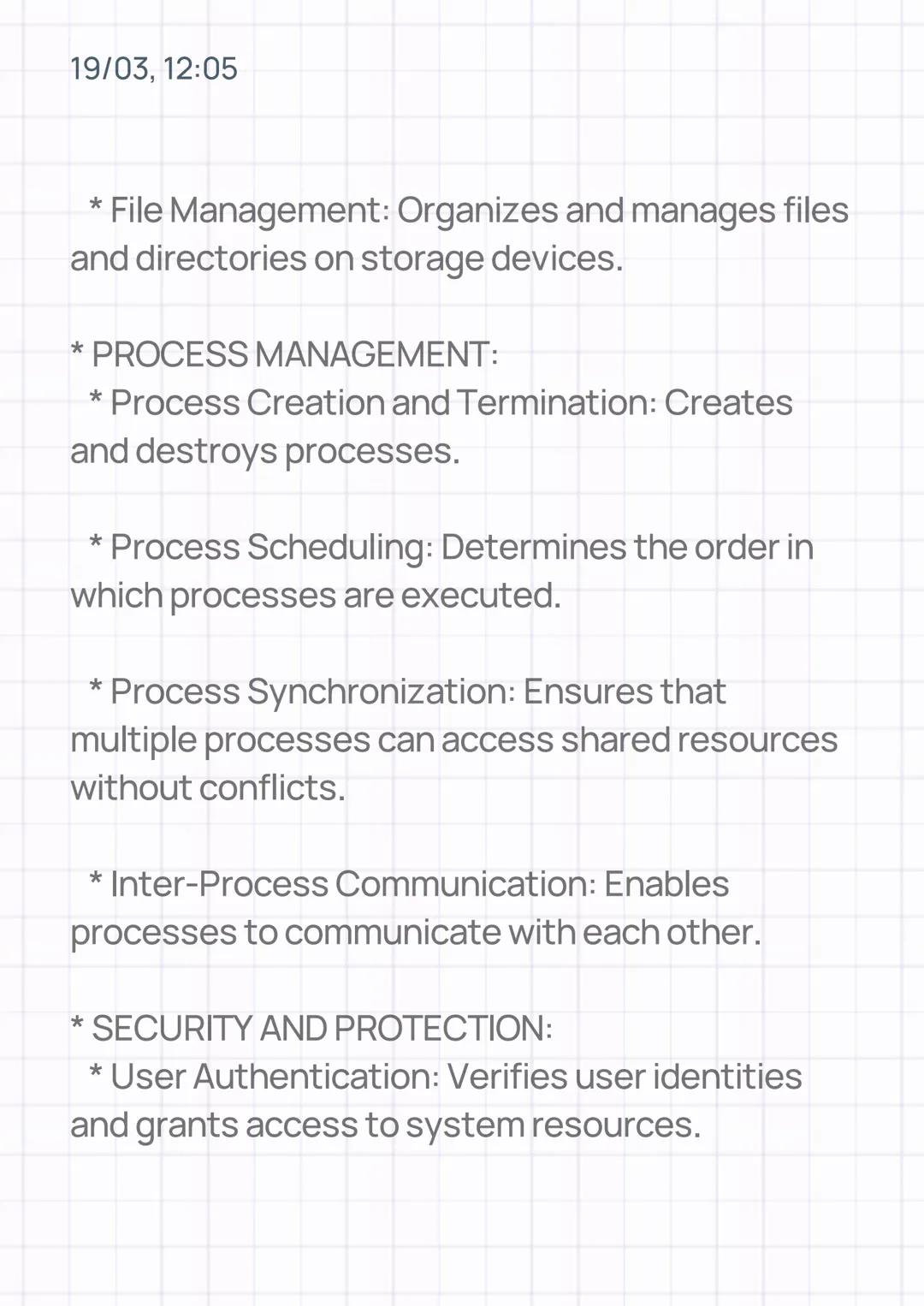
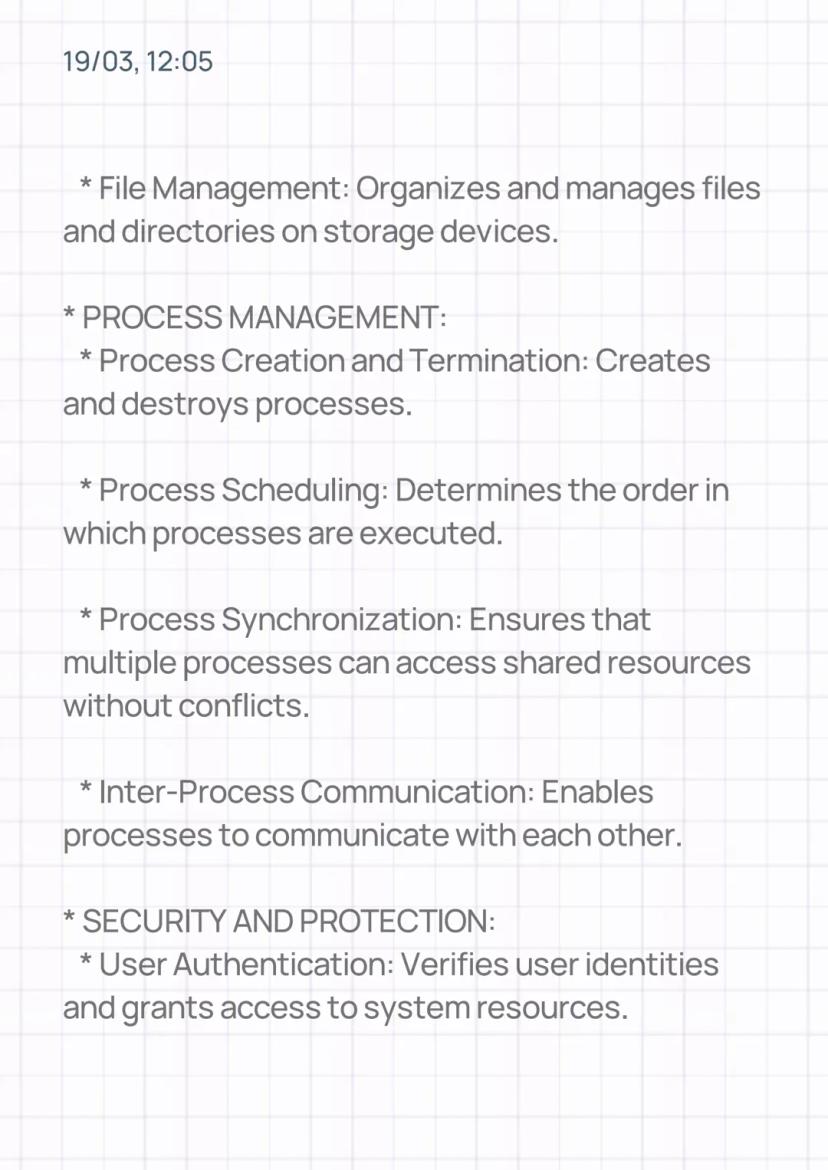
Your OS excels at process management – creating, scheduling, and terminating the programs you run. Every app on your device is a process, and the OS acts like an air traffic controller, ensuring they don't crash into each other when accessing shared resources.
Process synchronization prevents chaos when multiple apps try to use the same files or memory locations simultaneously. The OS also enables inter-process communication, allowing your apps to work together seamlessly.
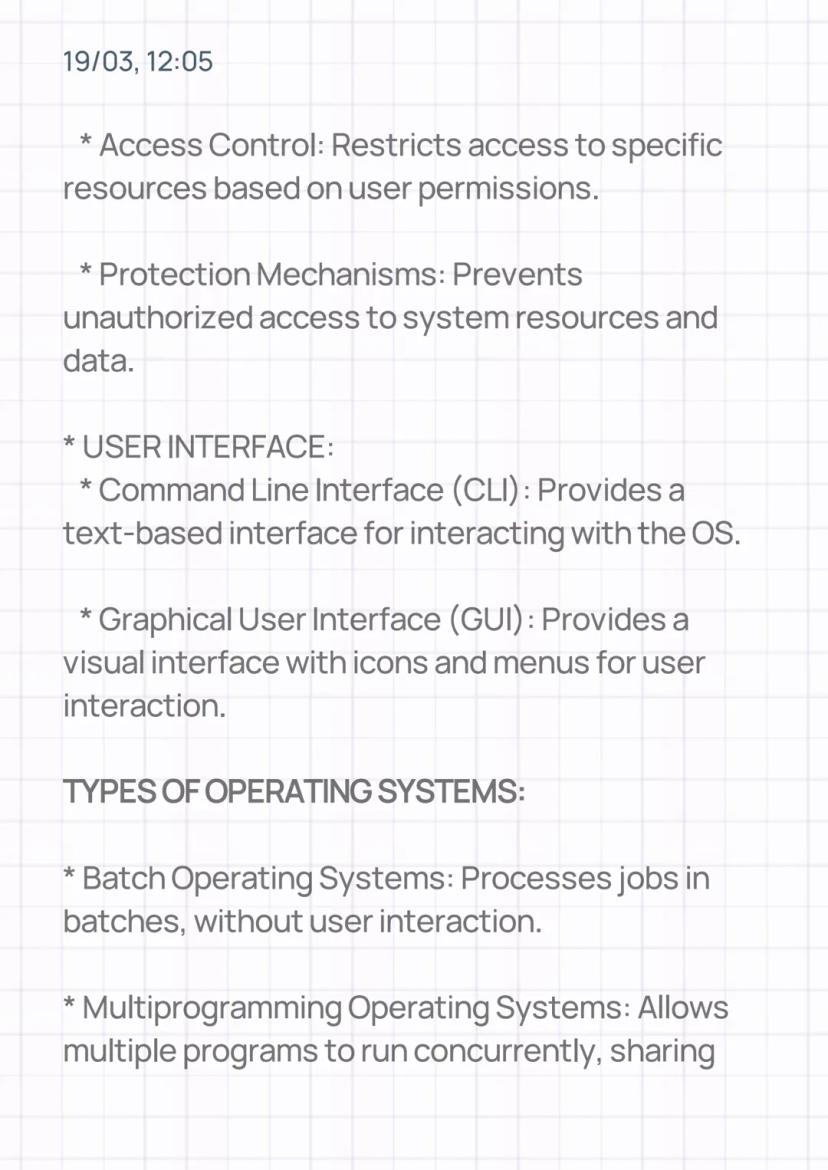
Security isn't an afterthought – it's built into every OS through user authentication and access control. When you log in with your password, the OS verifies your identity and decides what resources you can access. This prevents unauthorised users from accessing your personal files or system settings.
Remember: Every time you save a file or open an app, your OS is checking permissions and managing security in the background.
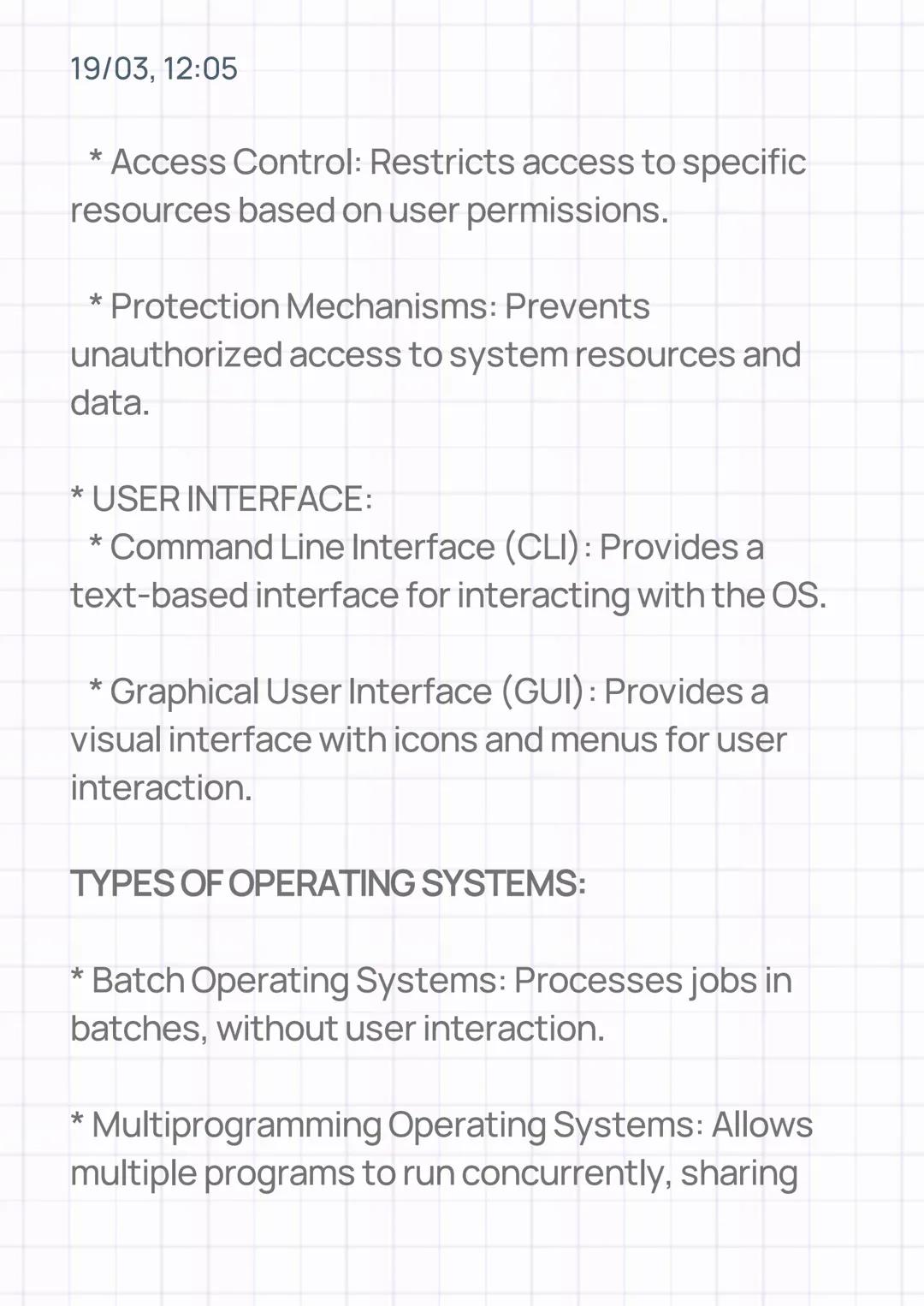
You interact with your OS through either a command line interface (CLI) or a graphical user interface (GUI). The GUI is what most people use – those familiar icons, menus, and windows that make computing intuitive.
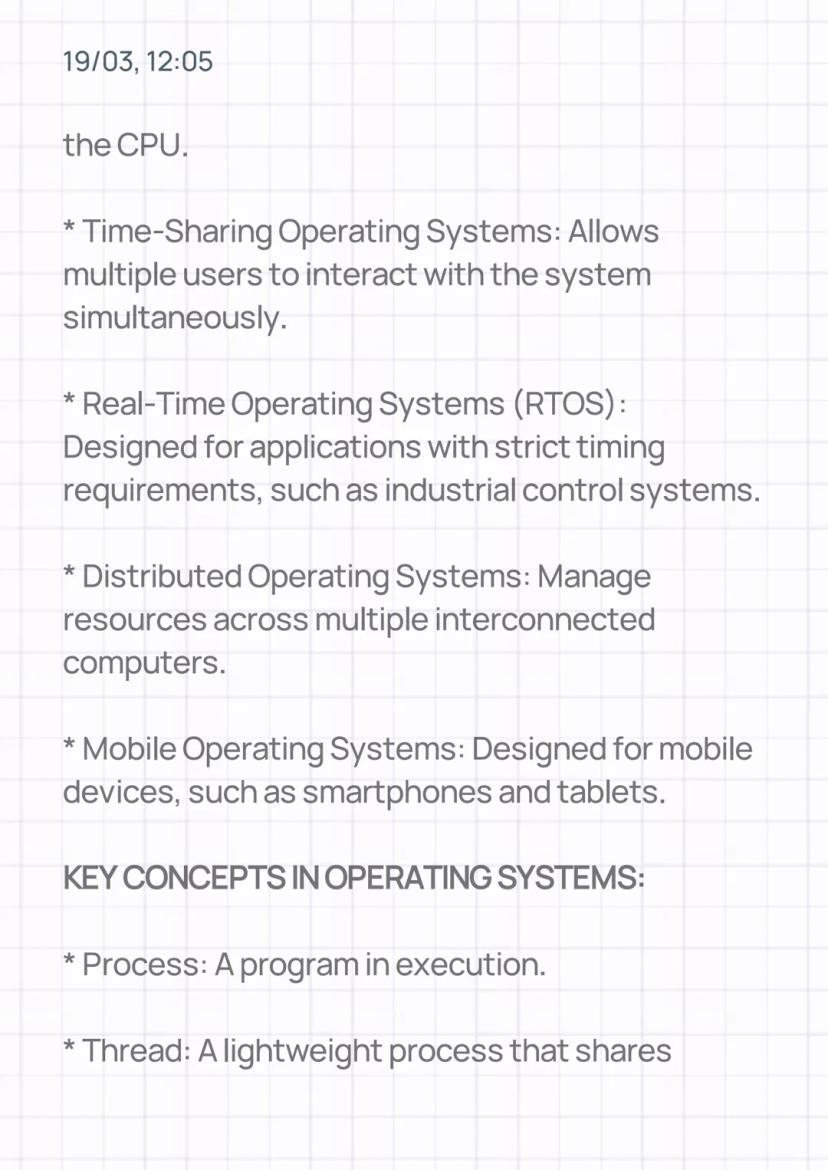
Different situations call for different types of operating systems. Time-sharing operating systems let multiple users work on the same computer simultaneously, whilst real-time operating systems (RTOS) are designed for applications where split-second timing matters, like controlling factory machinery.
Mobile operating systems are specifically designed for smartphones and tablets, handling touch interfaces and power management differently than desktop systems. Distributed operating systems manage resources across multiple connected computers, making them appear as one unified system.
Fun Fact: Your phone's OS is fundamentally different from your laptop's – it's optimised for battery life, touch input, and mobile connectivity!
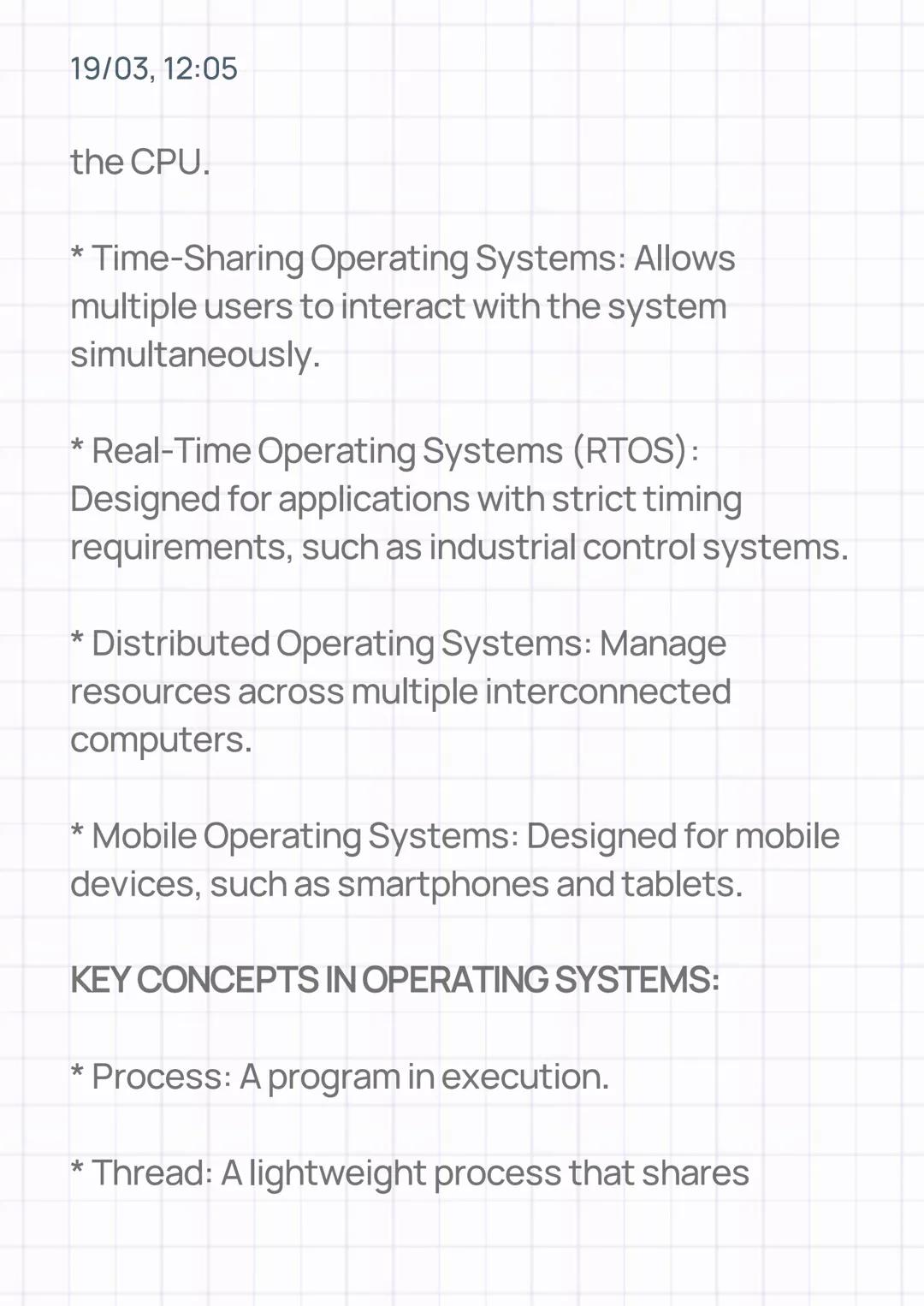
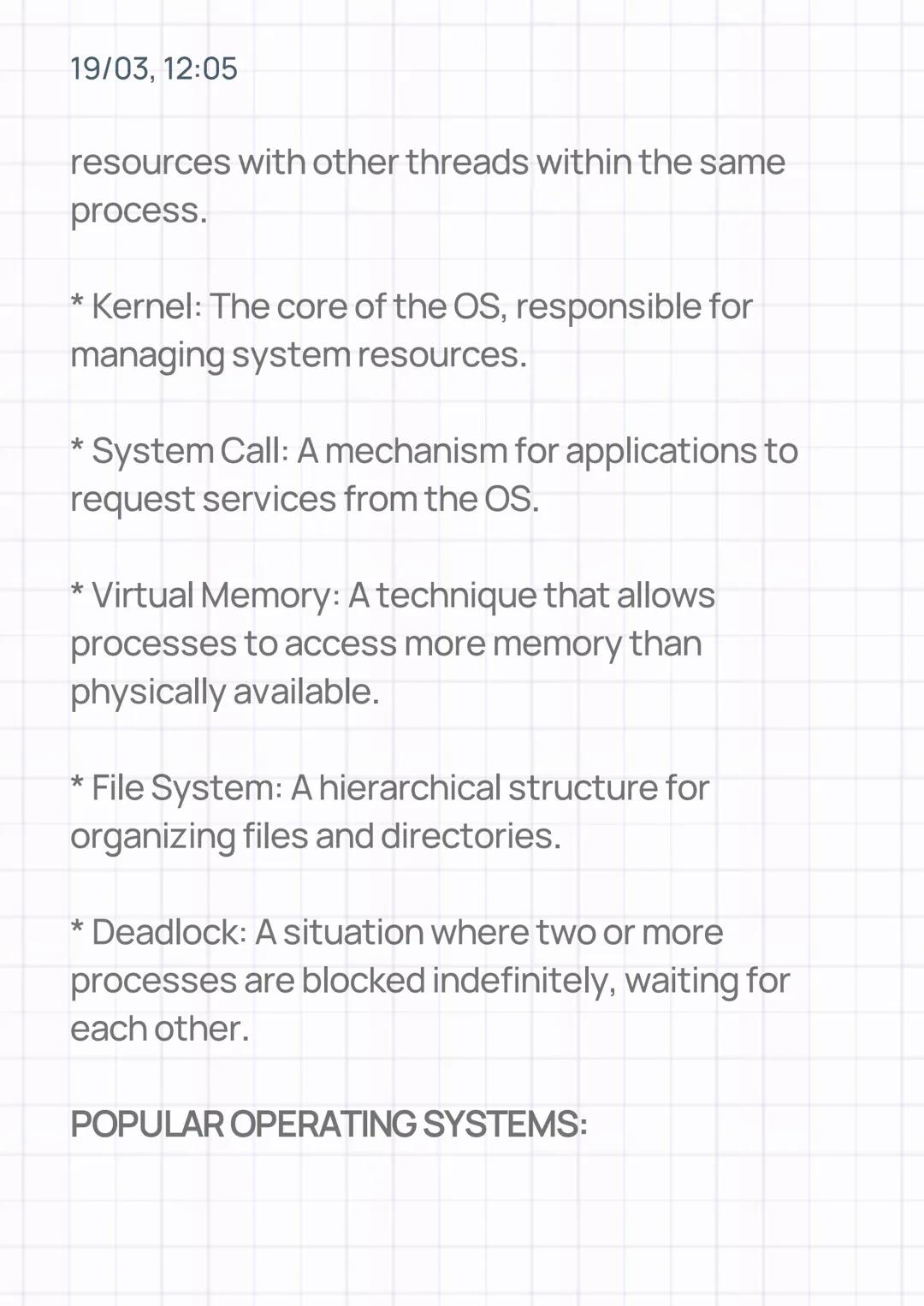
Understanding processes and threads is essential for grasping how modern computers work. A process is simply a program that's currently running, whilst a thread is like a mini-process that can share resources with other threads in the same program.
The kernel is the OS's core – think of it as the engine of a car. It directly manages hardware and provides essential services that other programs need. When applications need something from the OS, they make a system call – essentially asking politely for help.
Virtual memory is a clever trick that makes your computer seem like it has more RAM than it actually does. The OS temporarily moves less-used data to your hard drive, freeing up space for active programs.
Deadlock is like a traffic jam where cars block each other and nobody can move – it happens when processes get stuck waiting for resources that are held by other waiting processes.
Study Tip: Think of these concepts in real-world terms – processes as workers, memory as workspace, and the kernel as the supervisor coordinating everything.
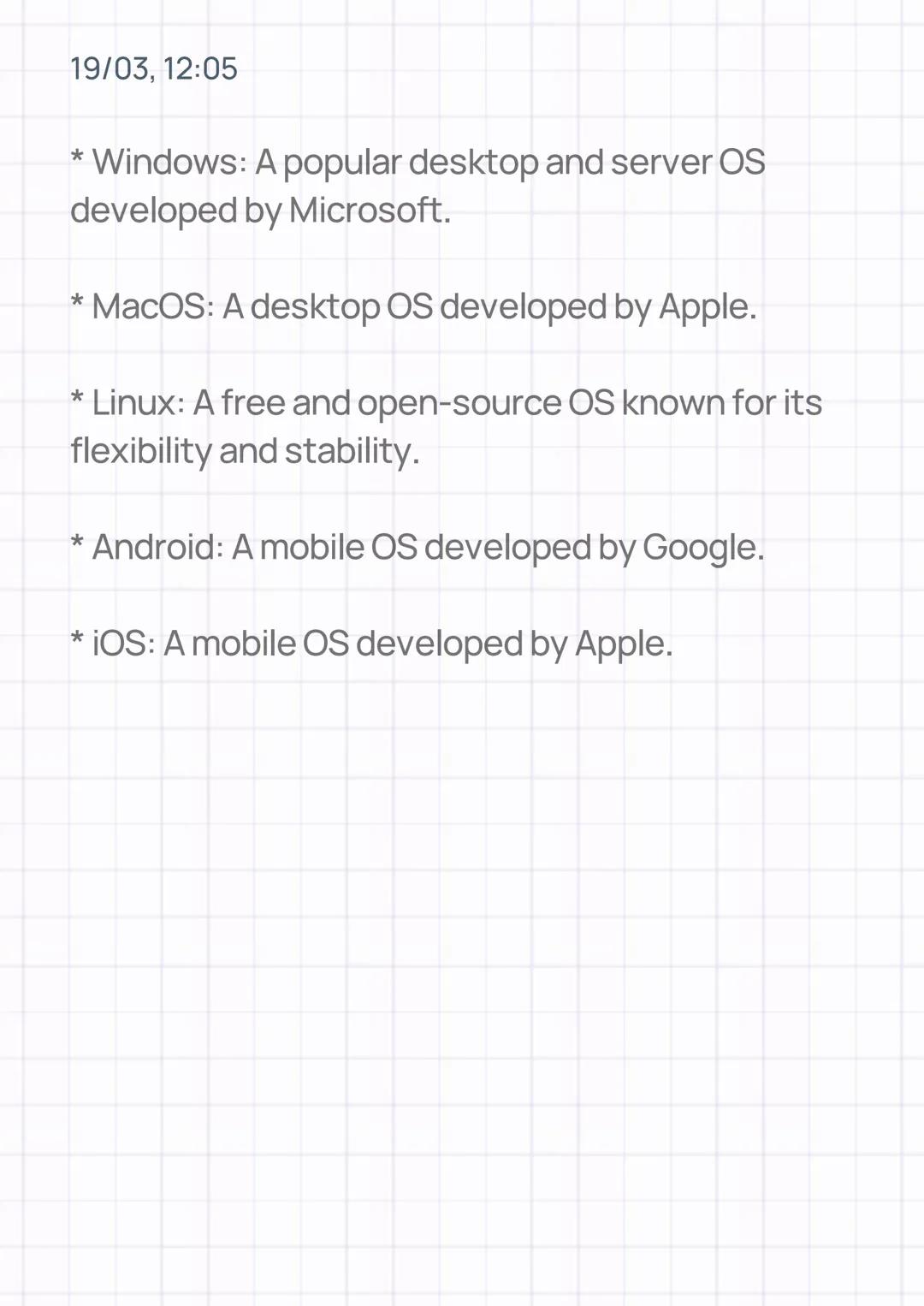
Windows dominates desktop and laptop computers, especially in business environments and gaming. It's known for its user-friendly interface and broad software compatibility, making it the go-to choice for most PC users.
Linux stands out as a free, open-source alternative that's incredibly flexible and stable. Many servers and supercomputers run Linux because it can be customised for specific needs and doesn't require expensive licensing fees.
For mobile devices, Android (developed by Google) and iOS (Apple's mobile OS) rule the smartphone world. Android offers more customisation options and works on various manufacturers' devices, whilst iOS provides a more controlled, streamlined experience on Apple devices exclusively.
MacOS appeals to creative professionals and those who prefer Apple's ecosystem, offering seamless integration with other Apple products and a reputation for reliability and elegant design.
Career Insight: Understanding different operating systems makes you more valuable in the job market – many employers need people who can work across multiple platforms.
Our AI Companion is a student-focused AI tool that offers more than just answers. Built on millions of Knowunity resources, it provides relevant information, personalised study plans, quizzes, and content directly in the chat, adapting to your individual learning journey.
You can download the app from Google Play Store and Apple App Store.
That's right! Enjoy free access to study content, connect with fellow students, and get instant help – all at your fingertips.
App Store
Google Play
The app is very easy to use and well designed. I have found everything I was looking for so far and have been able to learn a lot from the presentations! I will definitely use the app for a class assignment! And of course it also helps a lot as an inspiration.
Stefan S
iOS user
This app is really great. There are so many study notes and help [...]. My problem subject is French, for example, and the app has so many options for help. Thanks to this app, I have improved my French. I would recommend it to anyone.
Samantha Klich
Android user
Wow, I am really amazed. I just tried the app because I've seen it advertised many times and was absolutely stunned. This app is THE HELP you want for school and above all, it offers so many things, such as workouts and fact sheets, which have been VERY helpful to me personally.
Anna
iOS user
Best app on earth! no words because it’s too good
Thomas R
iOS user
Just amazing. Let's me revise 10x better, this app is a quick 10/10. I highly recommend it to anyone. I can watch and search for notes. I can save them in the subject folder. I can revise it any time when I come back. If you haven't tried this app, you're really missing out.
Basil
Android user
This app has made me feel so much more confident in my exam prep, not only through boosting my own self confidence through the features that allow you to connect with others and feel less alone, but also through the way the app itself is centred around making you feel better. It is easy to navigate, fun to use, and helpful to anyone struggling in absolutely any way.
David K
iOS user
The app's just great! All I have to do is enter the topic in the search bar and I get the response real fast. I don't have to watch 10 YouTube videos to understand something, so I'm saving my time. Highly recommended!
Sudenaz Ocak
Android user
In school I was really bad at maths but thanks to the app, I am doing better now. I am so grateful that you made the app.
Greenlight Bonnie
Android user
very reliable app to help and grow your ideas of Maths, English and other related topics in your works. please use this app if your struggling in areas, this app is key for that. wish I'd of done a review before. and it's also free so don't worry about that.
Rohan U
Android user
I know a lot of apps use fake accounts to boost their reviews but this app deserves it all. Originally I was getting 4 in my English exams and this time I got a grade 7. I didn’t even know about this app three days until the exam and it has helped A LOT. Please actually trust me and use it as I’m sure you too will see developments.
Xander S
iOS user
THE QUIZES AND FLASHCARDS ARE SO USEFUL AND I LOVE Knowunity AI. IT ALSO IS LITREALLY LIKE CHATGPT BUT SMARTER!! HELPED ME WITH MY MASCARA PROBLEMS TOO!! AS WELL AS MY REAL SUBJECTS ! DUHHH 😍😁😲🤑💗✨🎀😮
Elisha
iOS user
This apps acc the goat. I find revision so boring but this app makes it so easy to organize it all and then you can ask the freeeee ai to test yourself so good and you can easily upload your own stuff. highly recommend as someone taking mocks now
Paul T
iOS user
The app is very easy to use and well designed. I have found everything I was looking for so far and have been able to learn a lot from the presentations! I will definitely use the app for a class assignment! And of course it also helps a lot as an inspiration.
Stefan S
iOS user
This app is really great. There are so many study notes and help [...]. My problem subject is French, for example, and the app has so many options for help. Thanks to this app, I have improved my French. I would recommend it to anyone.
Samantha Klich
Android user
Wow, I am really amazed. I just tried the app because I've seen it advertised many times and was absolutely stunned. This app is THE HELP you want for school and above all, it offers so many things, such as workouts and fact sheets, which have been VERY helpful to me personally.
Anna
iOS user
Best app on earth! no words because it’s too good
Thomas R
iOS user
Just amazing. Let's me revise 10x better, this app is a quick 10/10. I highly recommend it to anyone. I can watch and search for notes. I can save them in the subject folder. I can revise it any time when I come back. If you haven't tried this app, you're really missing out.
Basil
Android user
This app has made me feel so much more confident in my exam prep, not only through boosting my own self confidence through the features that allow you to connect with others and feel less alone, but also through the way the app itself is centred around making you feel better. It is easy to navigate, fun to use, and helpful to anyone struggling in absolutely any way.
David K
iOS user
The app's just great! All I have to do is enter the topic in the search bar and I get the response real fast. I don't have to watch 10 YouTube videos to understand something, so I'm saving my time. Highly recommended!
Sudenaz Ocak
Android user
In school I was really bad at maths but thanks to the app, I am doing better now. I am so grateful that you made the app.
Greenlight Bonnie
Android user
very reliable app to help and grow your ideas of Maths, English and other related topics in your works. please use this app if your struggling in areas, this app is key for that. wish I'd of done a review before. and it's also free so don't worry about that.
Rohan U
Android user
I know a lot of apps use fake accounts to boost their reviews but this app deserves it all. Originally I was getting 4 in my English exams and this time I got a grade 7. I didn’t even know about this app three days until the exam and it has helped A LOT. Please actually trust me and use it as I’m sure you too will see developments.
Xander S
iOS user
THE QUIZES AND FLASHCARDS ARE SO USEFUL AND I LOVE Knowunity AI. IT ALSO IS LITREALLY LIKE CHATGPT BUT SMARTER!! HELPED ME WITH MY MASCARA PROBLEMS TOO!! AS WELL AS MY REAL SUBJECTS ! DUHHH 😍😁😲🤑💗✨🎀😮
Elisha
iOS user
This apps acc the goat. I find revision so boring but this app makes it so easy to organize it all and then you can ask the freeeee ai to test yourself so good and you can easily upload your own stuff. highly recommend as someone taking mocks now
Paul T
iOS user
Ummi
@ummi_.com
Operating systems are the invisible superheroes running behind every computer, phone, and tablet you use. They're like the manager of a busy restaurant, coordinating everything from memory and processing power to security and user interfaces to keep your device running... Show more
Access to all documents
Improve your grades
Join milions of students
Think of an operating system (OS) as the middleman between you and your computer's brain. Without it, your hardware would be as useful as a car without a driver – all the parts would be there, but nothing would work together.
The OS handles resource management like a skilled juggler. It decides which apps get memory space, determines which tasks the CPU tackles first, and manages how your keyboard, mouse, and other devices communicate with the processor. This coordination happens millions of times per second without you even noticing.
Memory management and CPU scheduling are two of the most crucial jobs your OS performs. When you're running multiple apps simultaneously, the OS ensures each one gets fair access to your computer's resources.
Quick Tip: Your OS is constantly working in the background – even when you think your computer is "doing nothing," it's actually managing dozens of processes!
Access to all documents
Improve your grades
Join milions of students
Your OS excels at process management – creating, scheduling, and terminating the programs you run. Every app on your device is a process, and the OS acts like an air traffic controller, ensuring they don't crash into each other when accessing shared resources.
Process synchronization prevents chaos when multiple apps try to use the same files or memory locations simultaneously. The OS also enables inter-process communication, allowing your apps to work together seamlessly.
Security isn't an afterthought – it's built into every OS through user authentication and access control. When you log in with your password, the OS verifies your identity and decides what resources you can access. This prevents unauthorised users from accessing your personal files or system settings.
Remember: Every time you save a file or open an app, your OS is checking permissions and managing security in the background.
Access to all documents
Improve your grades
Join milions of students
You interact with your OS through either a command line interface (CLI) or a graphical user interface (GUI). The GUI is what most people use – those familiar icons, menus, and windows that make computing intuitive.
Different situations call for different types of operating systems. Time-sharing operating systems let multiple users work on the same computer simultaneously, whilst real-time operating systems (RTOS) are designed for applications where split-second timing matters, like controlling factory machinery.
Mobile operating systems are specifically designed for smartphones and tablets, handling touch interfaces and power management differently than desktop systems. Distributed operating systems manage resources across multiple connected computers, making them appear as one unified system.
Fun Fact: Your phone's OS is fundamentally different from your laptop's – it's optimised for battery life, touch input, and mobile connectivity!
Access to all documents
Improve your grades
Join milions of students
Understanding processes and threads is essential for grasping how modern computers work. A process is simply a program that's currently running, whilst a thread is like a mini-process that can share resources with other threads in the same program.
The kernel is the OS's core – think of it as the engine of a car. It directly manages hardware and provides essential services that other programs need. When applications need something from the OS, they make a system call – essentially asking politely for help.
Virtual memory is a clever trick that makes your computer seem like it has more RAM than it actually does. The OS temporarily moves less-used data to your hard drive, freeing up space for active programs.
Deadlock is like a traffic jam where cars block each other and nobody can move – it happens when processes get stuck waiting for resources that are held by other waiting processes.
Study Tip: Think of these concepts in real-world terms – processes as workers, memory as workspace, and the kernel as the supervisor coordinating everything.
Access to all documents
Improve your grades
Join milions of students
Windows dominates desktop and laptop computers, especially in business environments and gaming. It's known for its user-friendly interface and broad software compatibility, making it the go-to choice for most PC users.
Linux stands out as a free, open-source alternative that's incredibly flexible and stable. Many servers and supercomputers run Linux because it can be customised for specific needs and doesn't require expensive licensing fees.
For mobile devices, Android (developed by Google) and iOS (Apple's mobile OS) rule the smartphone world. Android offers more customisation options and works on various manufacturers' devices, whilst iOS provides a more controlled, streamlined experience on Apple devices exclusively.
MacOS appeals to creative professionals and those who prefer Apple's ecosystem, offering seamless integration with other Apple products and a reputation for reliability and elegant design.
Career Insight: Understanding different operating systems makes you more valuable in the job market – many employers need people who can work across multiple platforms.
Access to all documents
Improve your grades
Join milions of students
Our AI Companion is a student-focused AI tool that offers more than just answers. Built on millions of Knowunity resources, it provides relevant information, personalised study plans, quizzes, and content directly in the chat, adapting to your individual learning journey.
You can download the app from Google Play Store and Apple App Store.
That's right! Enjoy free access to study content, connect with fellow students, and get instant help – all at your fingertips.
2
Smart Tools NEW
Transform this note into: ✓ 50+ Practice Questions ✓ Interactive Flashcards ✓ Full Mock Exam ✓ Essay Outlines
App Store
Google Play
The app is very easy to use and well designed. I have found everything I was looking for so far and have been able to learn a lot from the presentations! I will definitely use the app for a class assignment! And of course it also helps a lot as an inspiration.
Stefan S
iOS user
This app is really great. There are so many study notes and help [...]. My problem subject is French, for example, and the app has so many options for help. Thanks to this app, I have improved my French. I would recommend it to anyone.
Samantha Klich
Android user
Wow, I am really amazed. I just tried the app because I've seen it advertised many times and was absolutely stunned. This app is THE HELP you want for school and above all, it offers so many things, such as workouts and fact sheets, which have been VERY helpful to me personally.
Anna
iOS user
Best app on earth! no words because it’s too good
Thomas R
iOS user
Just amazing. Let's me revise 10x better, this app is a quick 10/10. I highly recommend it to anyone. I can watch and search for notes. I can save them in the subject folder. I can revise it any time when I come back. If you haven't tried this app, you're really missing out.
Basil
Android user
This app has made me feel so much more confident in my exam prep, not only through boosting my own self confidence through the features that allow you to connect with others and feel less alone, but also through the way the app itself is centred around making you feel better. It is easy to navigate, fun to use, and helpful to anyone struggling in absolutely any way.
David K
iOS user
The app's just great! All I have to do is enter the topic in the search bar and I get the response real fast. I don't have to watch 10 YouTube videos to understand something, so I'm saving my time. Highly recommended!
Sudenaz Ocak
Android user
In school I was really bad at maths but thanks to the app, I am doing better now. I am so grateful that you made the app.
Greenlight Bonnie
Android user
very reliable app to help and grow your ideas of Maths, English and other related topics in your works. please use this app if your struggling in areas, this app is key for that. wish I'd of done a review before. and it's also free so don't worry about that.
Rohan U
Android user
I know a lot of apps use fake accounts to boost their reviews but this app deserves it all. Originally I was getting 4 in my English exams and this time I got a grade 7. I didn’t even know about this app three days until the exam and it has helped A LOT. Please actually trust me and use it as I’m sure you too will see developments.
Xander S
iOS user
THE QUIZES AND FLASHCARDS ARE SO USEFUL AND I LOVE Knowunity AI. IT ALSO IS LITREALLY LIKE CHATGPT BUT SMARTER!! HELPED ME WITH MY MASCARA PROBLEMS TOO!! AS WELL AS MY REAL SUBJECTS ! DUHHH 😍😁😲🤑💗✨🎀😮
Elisha
iOS user
This apps acc the goat. I find revision so boring but this app makes it so easy to organize it all and then you can ask the freeeee ai to test yourself so good and you can easily upload your own stuff. highly recommend as someone taking mocks now
Paul T
iOS user
The app is very easy to use and well designed. I have found everything I was looking for so far and have been able to learn a lot from the presentations! I will definitely use the app for a class assignment! And of course it also helps a lot as an inspiration.
Stefan S
iOS user
This app is really great. There are so many study notes and help [...]. My problem subject is French, for example, and the app has so many options for help. Thanks to this app, I have improved my French. I would recommend it to anyone.
Samantha Klich
Android user
Wow, I am really amazed. I just tried the app because I've seen it advertised many times and was absolutely stunned. This app is THE HELP you want for school and above all, it offers so many things, such as workouts and fact sheets, which have been VERY helpful to me personally.
Anna
iOS user
Best app on earth! no words because it’s too good
Thomas R
iOS user
Just amazing. Let's me revise 10x better, this app is a quick 10/10. I highly recommend it to anyone. I can watch and search for notes. I can save them in the subject folder. I can revise it any time when I come back. If you haven't tried this app, you're really missing out.
Basil
Android user
This app has made me feel so much more confident in my exam prep, not only through boosting my own self confidence through the features that allow you to connect with others and feel less alone, but also through the way the app itself is centred around making you feel better. It is easy to navigate, fun to use, and helpful to anyone struggling in absolutely any way.
David K
iOS user
The app's just great! All I have to do is enter the topic in the search bar and I get the response real fast. I don't have to watch 10 YouTube videos to understand something, so I'm saving my time. Highly recommended!
Sudenaz Ocak
Android user
In school I was really bad at maths but thanks to the app, I am doing better now. I am so grateful that you made the app.
Greenlight Bonnie
Android user
very reliable app to help and grow your ideas of Maths, English and other related topics in your works. please use this app if your struggling in areas, this app is key for that. wish I'd of done a review before. and it's also free so don't worry about that.
Rohan U
Android user
I know a lot of apps use fake accounts to boost their reviews but this app deserves it all. Originally I was getting 4 in my English exams and this time I got a grade 7. I didn’t even know about this app three days until the exam and it has helped A LOT. Please actually trust me and use it as I’m sure you too will see developments.
Xander S
iOS user
THE QUIZES AND FLASHCARDS ARE SO USEFUL AND I LOVE Knowunity AI. IT ALSO IS LITREALLY LIKE CHATGPT BUT SMARTER!! HELPED ME WITH MY MASCARA PROBLEMS TOO!! AS WELL AS MY REAL SUBJECTS ! DUHHH 😍😁😲🤑💗✨🎀😮
Elisha
iOS user
This apps acc the goat. I find revision so boring but this app makes it so easy to organize it all and then you can ask the freeeee ai to test yourself so good and you can easily upload your own stuff. highly recommend as someone taking mocks now
Paul T
iOS user