Input, Output and Storage Systems
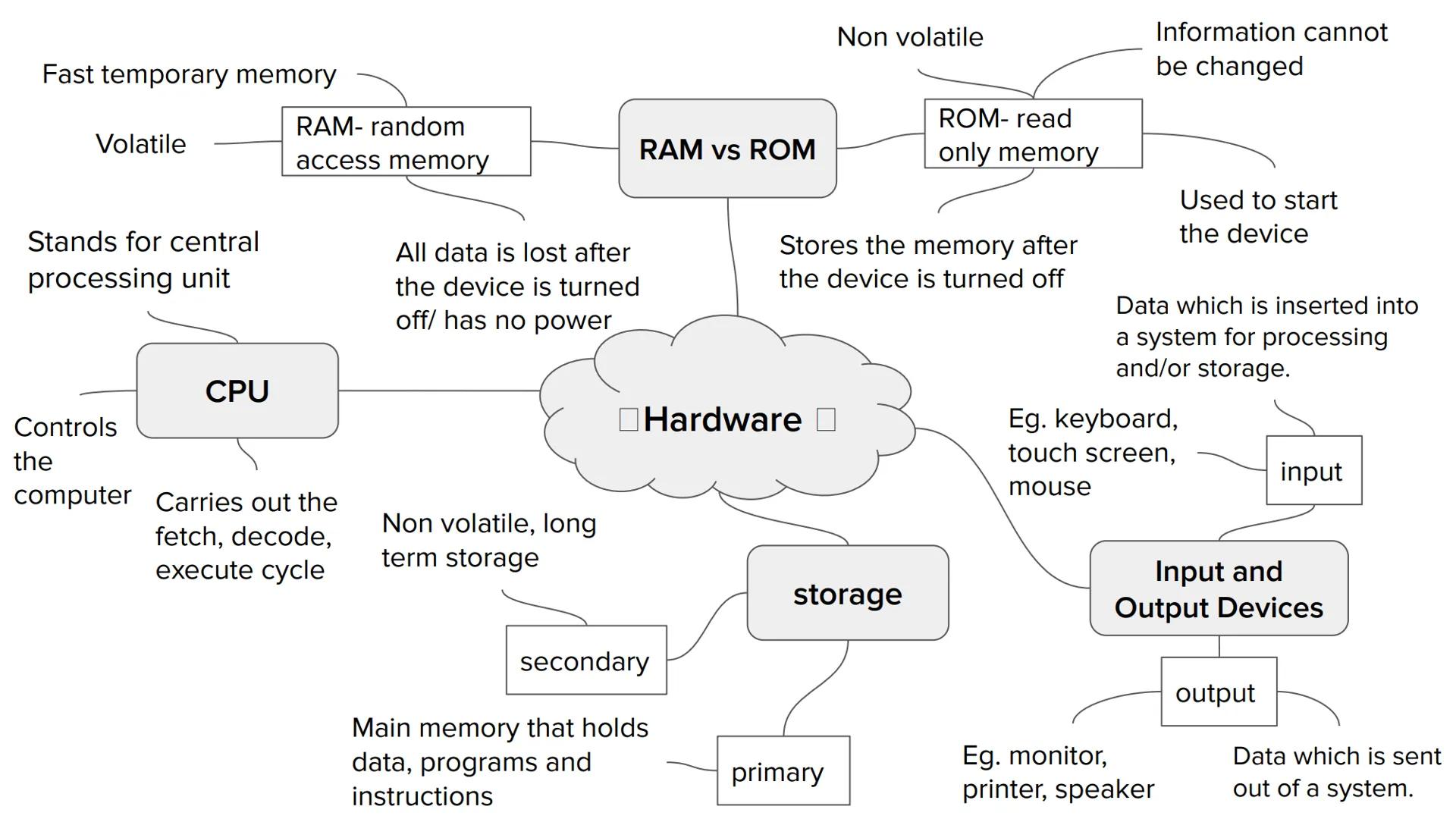
Input and output devices are how you communicate with your computer. Input devices like keyboards, mice, and touchscreens let you put data into the system. Output devices such as monitors, printers, and speakers show or give you the results back.
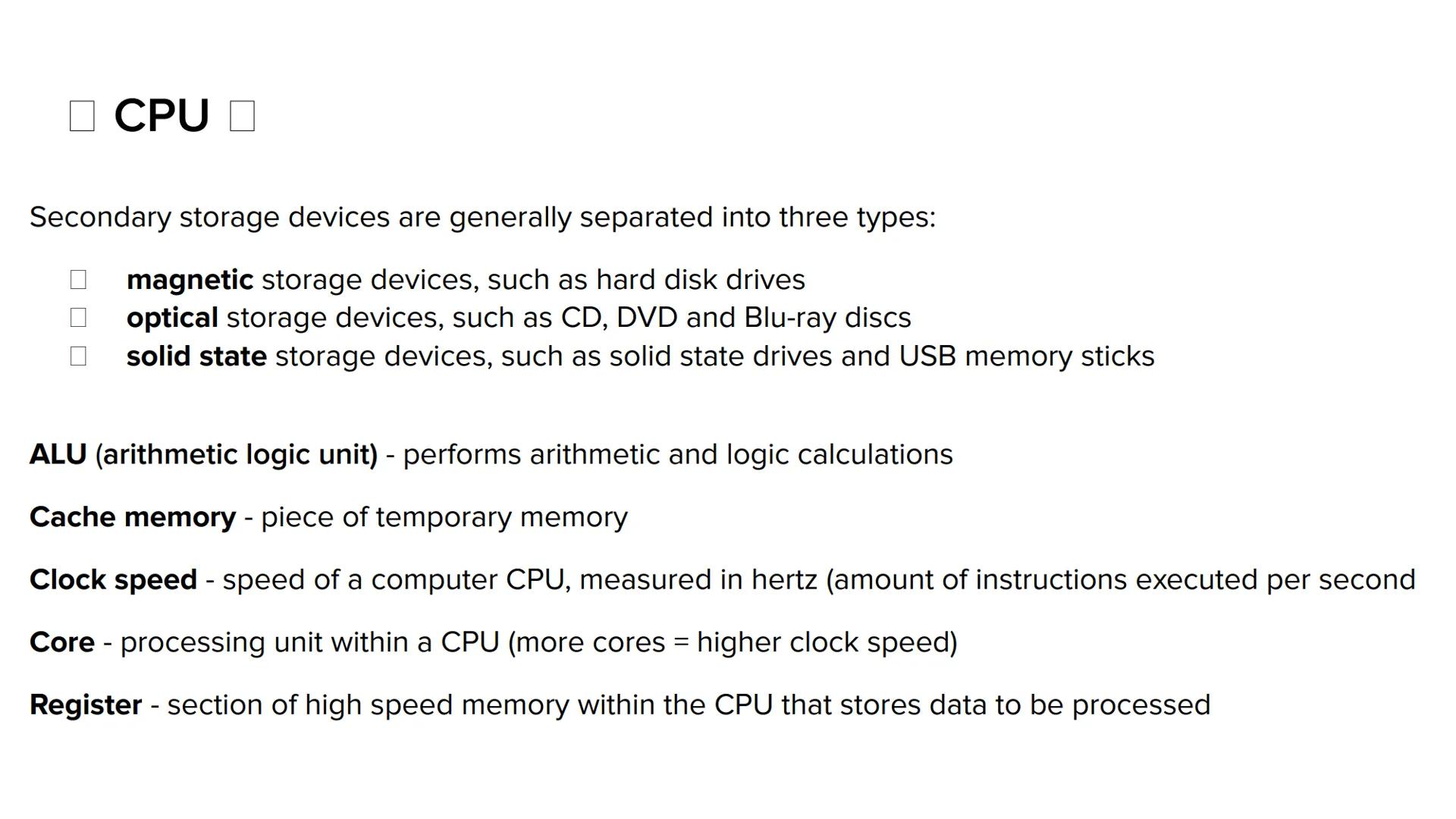
Secondary storage is your computer's long-term, non-volatile filing cabinet. Unlike RAM, this hardware keeps your files safe permanently. There are three main types: magnetic storage (like hard drives), optical storage CDs,DVDs,Blu−ray, and solid state storage (USB sticks and SSDs).
Inside the CPU, you've got some clever components working together. The ALU (Arithmetic Logic Unit) handles all the maths and logical thinking. Cache memory provides super-fast temporary storage, whilst registers hold data that's about to be processed. Clock speed (measured in hertz) tells you how many instructions the CPU can handle per second, and more cores generally mean better performance.
Remember: Secondary storage is permanent (like your wardrobe), whilst primary memory (RAM) is temporary (like your desk)!


 Computer Science
 English Literature
 Biology
 Sociology